

← Back

Self made Environmental design tools

Environmental design tools in Unity

Overview

I made my own Environmental design tools for the unity engine.
The tools i made:
1: Path maker tool
2: Loot/Enemy scatter tool

Reflection

This was my first time making tools like this and i really enjoyed making these tools, i learned that OnSceneGUI is very important to use when making these tools otherwise i cant see the path points for example. I also learned that a editor folder IS mandatory when making this because unity will not recognize it as a tool if you put your scripts in a different folder than a editor folder

What I Used

C#
Unity

Features

• Draw custom paths
• Edit your paths
• Automatic prefab for path
• Path wraps cleanly on the terrain
• Lots of options to scatter your loot or enemy's
• Delete option for your loot or enemy's
• Uses prefabs of choice to scatter

Development Sheet

OnSceneGUI development screenshot
private void OnSceneGUI(
    SceneView sceneView)
{
    if (path == null)
        return;

    DrawCurve();

    if (editPoints)
    {
        EditPoints();
        DrawSceneButtons();
    }
}

OnSceneGUI

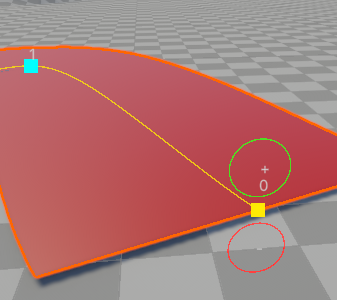
The OnSceneGUI method in my code allows me to see all visual functions in my sceneView.

  • For example it allows me to see the + and - buttons in my scene, or the path points in my scene.
Path drawing tool
private void HandleDrawing()
{
    Event e = Event.current;

    if (e.type != EventType.MouseDown ||
        e.button != 0 ||
        e.alt)
    {
        return;
    }

    Ray ray = HandleUtility.GUIPointToWorldRay(
        e.mousePosition
    );

    if (Physics.Raycast(
        ray,
        out RaycastHit hit,
        Mathf.Infinity))
    {
        AddPoint(hit.point);
        e.Use();
    }
}

Path drawing

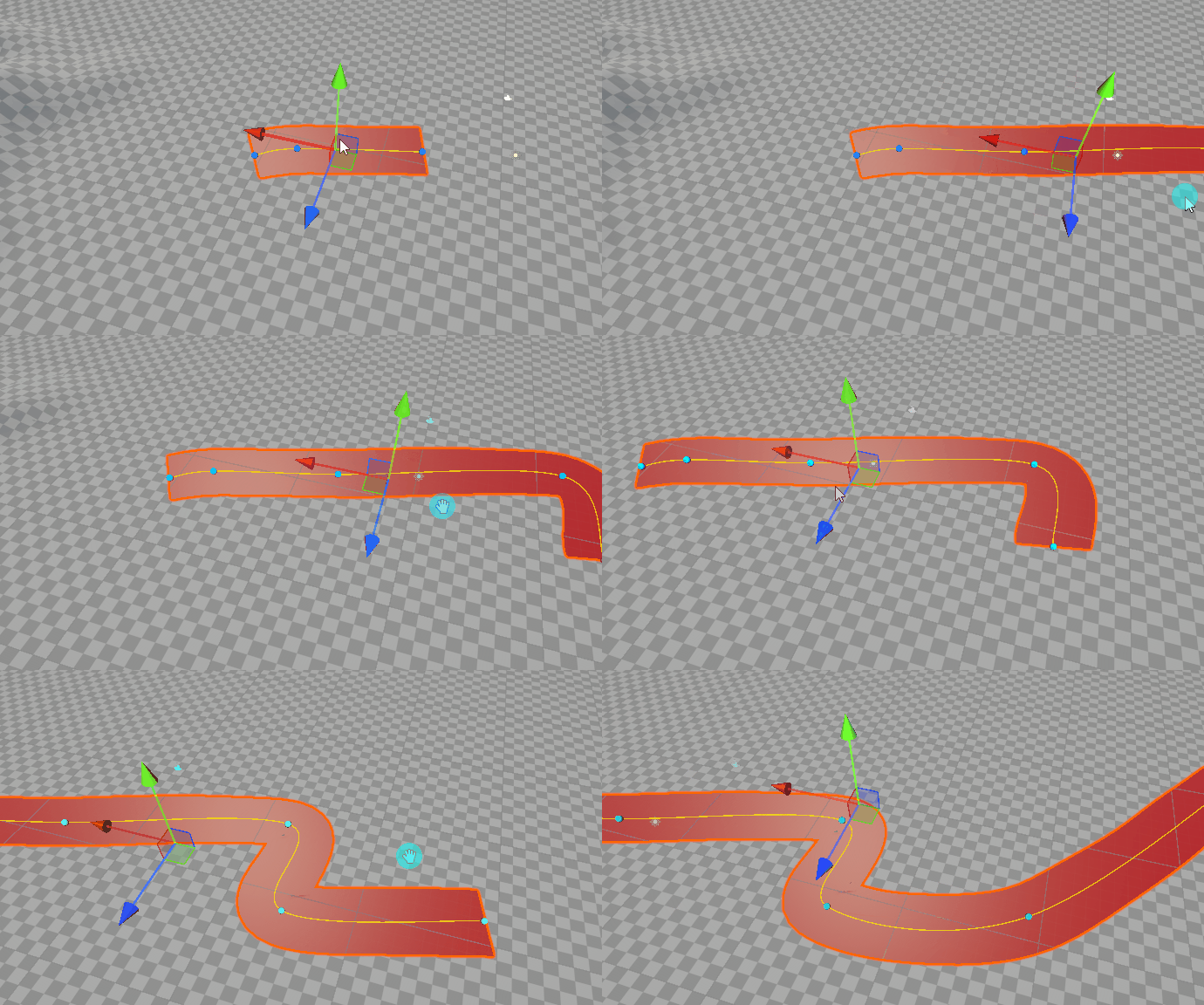
My path drawing mechanic allows me to draw custom paths on unity terrain.

  • Path is editable
  • Path wraps cleanly on terrain
  • Instantly creates a mesh for the path
Enemy and loot scatter tool
private void SpawnLoot(
    GameObject prefab,
    Vector3 position)
{
    if (prefab == null)
        return;

    if (Physics.Raycast(
        position + Vector3.up * 100f,
        Vector3.down,
        out RaycastHit hit,
        200f,
        terrainLayer))
    {
        GameObject loot = (GameObject)
            PrefabUtility.InstantiatePrefab(prefab);

        loot.transform.position = hit.point;
        loot.transform.rotation = Quaternion.Euler(
            0f, Random.Range(0f, 360f), 0f
        );

        float scale = Random.Range(minScale, maxScale);
        loot.transform.localScale *= scale;

        Undo.RegisterCreatedObjectUndo(
            loot, "Spawn Loot"
        );
    }
}

Enemy/Loot scatter tool

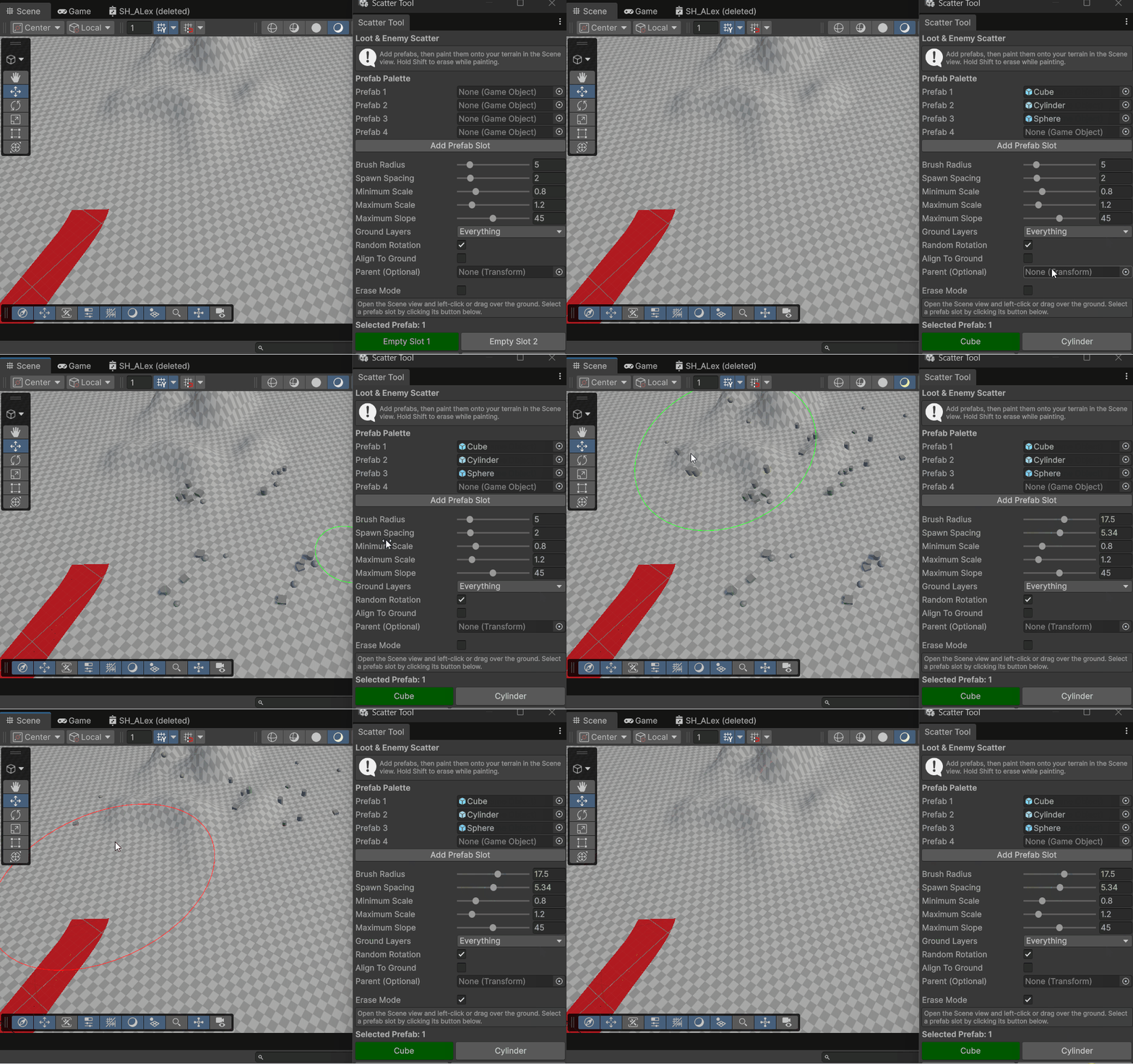
This scatter tool allows me to scatter prefabs of choice on the terrain, in this case enemies and Loot.

  • 1 to 4 prefabs of choice to scatter
  • Brush radius is customizable
  • Delete option to easily delete the scattered prefabs